

What Is Encryption? A Beginner’s Guide to Keeping Your Data Private
If you have ever asked yourself what is encryption, here is the short answer: it is the reason your private messages stay private, your bank login stays yours, and your card number can cross the public internet without being an open book. You use encryption dozens of times a day — every login, every https:// website, every WhatsApp message — usually without noticing.
The core idea is simple: encryption locks information so only the right key can unlock it. This guide explains it in plain language — what it is, how it works, the main types, where it protects you daily, the myths that confuse beginners, and the concrete steps to make sure it is actually switched on for your data.
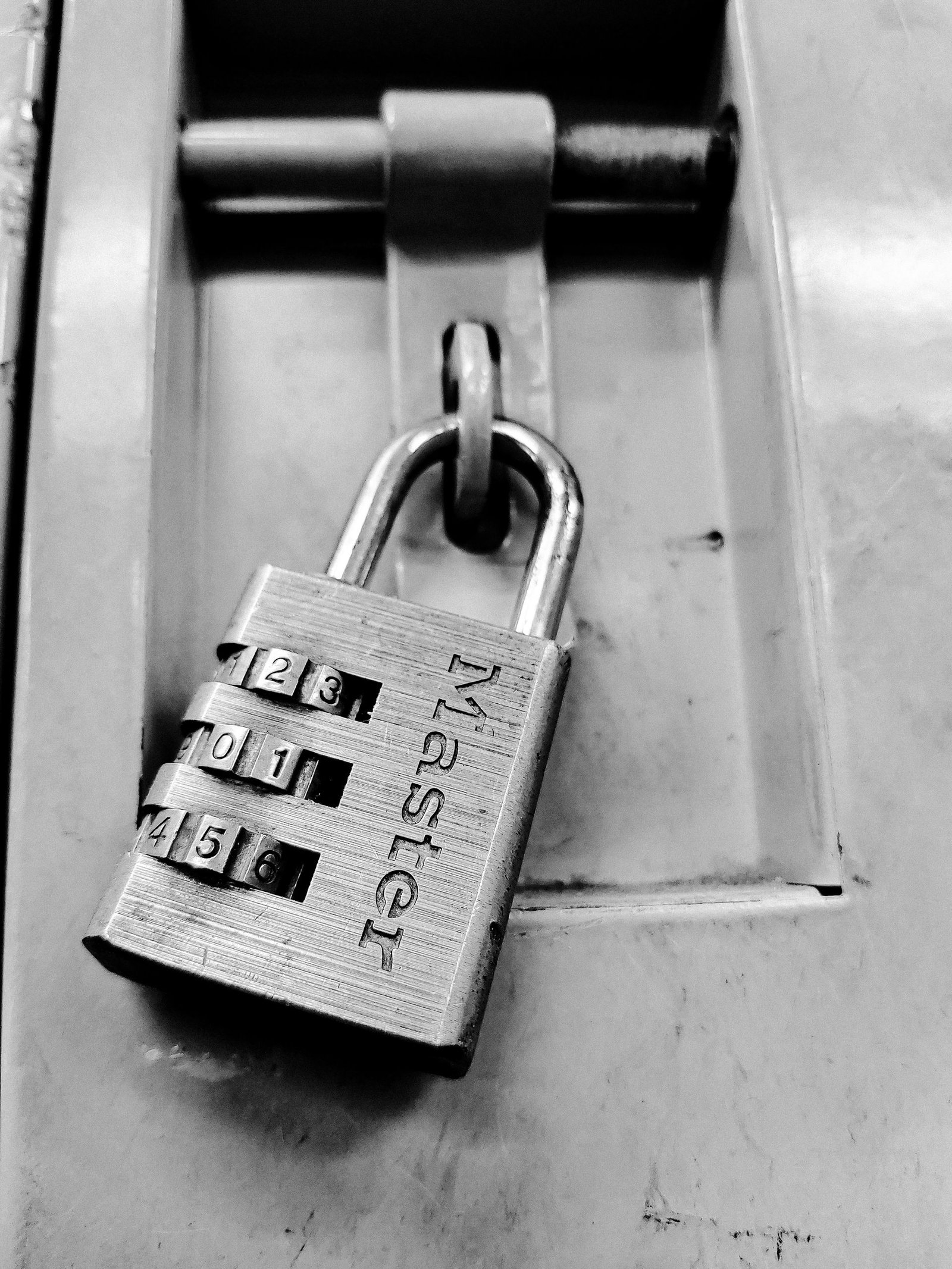
What Is Encryption, Exactly?
Encryption is the process of scrambling readable information (“plaintext”) into an unreadable form (“ciphertext”) so that only someone with the correct key can turn it back. The reverse process is called decryption.
Think of writing a letter in a code only you and a friend understand. Anyone who intercepts it sees gibberish; your friend reads it normally. Encryption does the same for digital data. For example, the message:
Meet me at 5pm
might become:
X7#qL9!vZ@2mK4w
Without the key, that string is meaningless noise. With the key, it decodes perfectly. Real algorithms are enormously more complex — modern ones are designed so that guessing the key would take far longer than a human lifetime — but the principle is identical: readable in, gibberish out, readable again only with the key.
One nuance beginners miss: encryption hides the contents of your data, not the fact that you sent something. An observer can see that a message traveled from you to someone else; they just cannot read what it says.
How Encryption Works: Plaintext, Ciphertext, and Keys
Every encryption system has three moving parts:
- Plaintext — the original, readable data: your message, password, or document.
- Ciphertext — the scrambled, unreadable output that travels across the internet or sits on a disk.
- Key — the secret that controls the scrambling and unscrambling. Lose the key, and the ciphertext is useless even to you.
An encryption algorithm (a precise set of mathematical rules) takes plaintext plus a key and produces ciphertext; later, the key turns it back. Security rests on the strength of the algorithm and the secrecy of the key.
Here is a reassuring fact: modern algorithms like AES are fully public — cryptographers worldwide know exactly how they work — yet remain secure, because knowing the method is not the same as having the key. This principle (called Kerckhoffs’s principle) means you should never trust a system whose only defense is a secret method. Secrets leak; math does not.
Keys take many forms — a password, a long passphrase, or a random string your device generates — but the rule is the same: keep it secret and hard to guess. A short, common password makes even great encryption breakable; a long, random key makes it practically unbreakable.
Symmetric vs. Asymmetric Encryption: The Two Main Types
All encryption falls into two families, and the difference explains a lot of modern security — including how your browser connects to your bank safely the very first time.
Symmetric encryption: one key locks and unlocks
In symmetric encryption, the same key both locks and unlocks the data — like a diary padlock where one physical key opens it. It is fast and efficient, ideal for large amounts of data: the files on your hard drive or the contents of a chat once the connection is running.
The catch is the key-distribution problem: how do you share the key without someone intercepting it? If you email the key, the email can be intercepted too. Asymmetric encryption exists to solve exactly this.
Asymmetric encryption: a public key and a private key
Asymmetric encryption (public-key cryptography) uses a mathematically linked pair of keys:
- A public key you share with anyone — it locks (encrypts) data.
- A private key you keep secret — only it unlocks (decrypts) data.
Analogy: the public key is an open padlock you hand out freely — anyone can snap it shut on a box for you, but only your private key reopens it.
This elegantly solves key distribution: publish your public key openly, and strangers can send you secrets on first contact. When your browser first visits your bank’s site, it uses the bank’s public key to start a secure conversation — no prior shared secret needed.
Asymmetric encryption is slower, so in practice the two are combined: the asymmetric pair securely exchanges a temporary symmetric key, then the fast symmetric algorithm handles the bulk of the conversation. This hybrid approach is what makes HTTPS both secure and fast. The same building blocks power how a VPN works — another layer worth understanding.
The Algorithms You Have Heard Of: AES, RSA, and TLS Explained Simply
Three names keep appearing. Here is what each one actually is.
AES: the workhorse
AES (Advanced Encryption Standard) is the world’s most widely used symmetric algorithm. Governments, banks, and phone makers rely on it for Wi-Fi traffic, phone backups, messaging apps, and encrypted hard drives. When marketing says “military-grade encryption,” it almost always means AES. The number after it — 128 or 256 — is the key length in bits; AES-256 simply offers a bigger safety margin.
RSA: the classic public-key algorithm
RSA is one of the oldest and best-known asymmetric algorithms. It exchanges keys securely and creates digital signatures — mathematical proof that a message really came from the claimed sender and was not altered. When a software update verifies its download is genuine, RSA (or a newer relative like elliptic-curve cryptography) is often behind it.
TLS: the protocol that puts it together
TLS (Transport Layer Security) is not an encryption algorithm — it is a protocol, rules for establishing a secure connection. TLS uses asymmetric encryption to verify identities and exchange keys, then switches to symmetric encryption for speed. The padlock in your browser and the “s” in https:// mean a TLS-protected connection. TLS replaced the older SSL. Everything important on the modern web runs over TLS — a login page without it sends your credentials as plain, readable text.
End-to-End Encryption: What It Really Means
End-to-end encryption (E2EE) means a message is encrypted on your device and can only be decrypted on the recipient’s device. Nobody in the middle — not the messaging company, not your internet provider, not an attacker who breached the company’s servers — can read it.
Contrast this with encryption merely “in transit,” where the provider decrypts your message on its own servers before forwarding it. With in-transit encryption, the company could read your messages; with true E2EE, it mathematically cannot — it holds only ciphertext it has no key for.
That is why E2EE matters for apps like Signal, WhatsApp, and iMessage, and why it is debated: the same property protecting journalists and ordinary private conversations also prevents companies from scanning content. The technical meaning, though, is unambiguous: with E2EE, only the sender and receiver hold the keys.
Beginner caution: “encrypted” alone does not mean “end-to-end encrypted.” Marketing sometimes blurs the line — always check which one a service actually offers.
Hashing vs. Encryption: Not the Same Thing
Beginners often confuse encryption with hashing, and the distinction matters — especially for passwords.
Encryption is reversible (with the key, you recover the original). Hashing is one-way: it turns data into a fixed-length fingerprint (a hash), and no key reverses it.
That one-way property is why websites hash passwords instead of encrypting them. When you log in, the site hashes what you typed and compares it to the stored hash. If they match, you are in — and the site never needs to know your actual password. If attackers steal a database of hashes, they get fingerprints, not passwords. Had the passwords been merely encrypted, one leaked key would expose every password at once.
For putting this into practice, our comparison of the best password managers shows how to use strong, unique passwords everywhere without memorizing them.
Where Encryption Protects You Every Day
It is already woven through your daily life:
- Web browsing (HTTPS/TLS): every secure site encrypts the browser-to-server connection — logins, searches, and card numbers travel as ciphertext.
- Messaging (E2EE): Signal and WhatsApp encrypt messages so only you and the recipient can read them.
- Email: connections to your provider are encrypted in transit; some services add extra layers for message content.
- Banking and shopping: card details are protected by TLS in transit and by AES in storage.
- Wi-Fi: modern Wi-Fi security (WPA2/WPA3) encrypts wireless traffic between your device and the router, so neighbors cannot snoop.
- Phone and laptop storage: full-disk encryption means a stolen device yields scrambled data, not your photos and documents.
- Backups: cloud backups from Apple and Google are encrypted both in transit and on their servers.
- VPNs: encrypt all your traffic and route it through a secure tunnel, hiding it from local networks.
The pattern: encryption protects data in transit (moving), at rest (stored), and good security covers both. Attackers strike where encryption is weakest — which is why it pays to also understand what phishing is and how ransomware works.

How to Turn On Encryption on Your Devices
Most encryption you need is already built into your devices — you just have to confirm it is switched on. Run through this checklist once.
Encrypt your phone
Modern iPhones encrypt storage by default the moment you set a passcode — the passcode is part of the key. Most recent Android phones also encrypt by default; confirm under Settings → Security → Encryption. Use a strong passcode, enable auto-lock, and add two-factor authentication to your Apple or Google account so a stolen password alone cannot reach your backups.
Encrypt your computer
- Windows: Windows 10/11 Pro includes BitLocker — search “Manage BitLocker” and turn it on, then save the recovery key somewhere safe (not on the same PC). Some Home editions offer “device encryption” under Settings → Privacy & Security.
- Mac: enable FileVault in System Settings → Privacy & Security → FileVault. Your login password becomes part of the protection, so make it strong.
- Linux: most distributions offer full-disk encryption as an install checkbox; if you skipped it, a fresh install with encryption enabled is the cleanest fix.
With full-disk encryption, a stolen powered-off laptop yields scrambled bits — not your documents and saved passwords. Daily use is unaffected: unlocking happens automatically at login.
Encrypt your backups and follow the 3-2-1 rule
An unencrypted backup is a second unprotected copy of your data. Password-protect local phone backups, encrypt external drives (BitLocker To Go on Windows, encrypted APFS on Mac, or cross-platform VeraCrypt), and keep cloud backups’ encryption enabled. Our 3-2-1 backup guide builds encryption into a complete strategy.
Use HTTPS and encrypted DNS
Modern browsers already try HTTPS first — before entering credentials, still glance at the address bar for https:// and the padlock. Never log in on a plain-HTTP page; treat it as a red flag. For an extra layer, enable DNS-over-HTTPS in your browser settings so nobody on your network sees a plain-text list of the sites you look up.
Choose encrypted messaging and a password manager
Use a messenger with end-to-end encryption on by default — Signal is the gold standard; WhatsApp and iMessage also offer it. And since every layer above depends on keys you can actually manage, a password manager makes “strong and unique everywhere” achievable instead of aspirational.
Encryption Myths Beginners Should Drop
Myth 1: “I have nothing to hide, so I don’t need encryption.”
Privacy is about controlling who sees your personal life, not hiding wrongdoing. Medical searches, financial details, private photos, and location history are nobody else’s business by default — and encryption also guards against identity theft and fraud.
Myth 2: “Encryption is only for criminals and spies.”
Banking, messaging, Wi-Fi, phone storage — encryption is mainstream infrastructure, like seatbelts: ordinary people, ordinary safety.
Myth 3: “The padlock icon means a website is trustworthy.”
The padlock means the connection is encrypted — nothing about the site’s honesty. Phishing sites use HTTPS routinely. Encryption protects the pipe; your judgment must still evaluate who is at the other end.
Myth 4: “Encrypted means unhackable.”
Encryption protects data in one specific way. It will not stop malware reading your screen, help if you hand your password to a scammer, or save a weak key. Security is layers — encryption is among the strongest, but it needs companions like software updates and backups.
Myth 5: “If I forget my encryption password, the company can recover my data.”
With proper end-to-end encryption, nobody can — that is the point. Losing a FileVault or BitLocker recovery key can mean permanent data loss, so write recovery keys down and store them somewhere physically safe.
Myth 6: “All ‘military-grade encryption’ claims are equal.”
The algorithms are standardized; what differs is implementation and trust — who holds the keys and what gets logged. Evaluate the provider, not the buzzwords.
Key Takeaways
- Encryption scrambles readable plaintext into unreadable ciphertext, reversible only with the key.
- Symmetric encryption uses one shared key (fast, best for bulk data); asymmetric encryption uses a public/private pair (solves key sharing, enables secure first contact).
- AES is the standard symmetric algorithm; RSA the classic asymmetric one; TLS is the protocol combining them behind every HTTPS connection.
- End-to-end encryption means only sender and receiver can read a message — not even the service provider.
- Hashing is not encryption: it is one-way, which is why passwords should be hashed, never merely encrypted.
- Most protection is already on your devices: enable full-disk encryption (FileVault/BitLocker), prefer HTTPS everywhere, use E2EE messaging, and back it with strong unique passwords plus two-factor authentication.
Frequently Asked Questions
Is encryption legal?
In most countries, yes — encrypting your own data and communications is legal and commonplace. A small number of countries restrict certain encryption tools, so travelers should check local law. For ordinary use in the US, UK, EU, Canada, and Australia, encryption is entirely legal.
Can encrypted data be hacked?
Strong, correctly implemented encryption (like AES-256) cannot be broken by brute force with any realistic computing power. Real breaches attack around the encryption: stealing the key, phishing the user, exploiting buggy software, or finding the password on a sticky note. Protect the key and the device, and the encryption does its job.
What’s the difference between encryption and a password?
A password is a secret you know; encryption is a process that scrambles data. They work together: your password (or a key derived from it) unlocks the encryption. A password alone only gates access — anyone who bypasses the gate, say by removing your hard drive, sees everything in plain text.
Does encryption slow down my device?
On modern devices, no. Phones and computers have dedicated hardware acceleration for AES, so full-disk encryption, HTTPS, and encrypted messaging run at full speed. A real concern fifteen years ago; a solved problem today.
Should I encrypt my external hard drive?
Yes, if it holds anything you would not want a stranger to read. Losing an unencrypted drive is like losing an unlocked filing cabinet. Windows (BitLocker To Go) and macOS (encrypted APFS volumes) make it a few clicks; VeraCrypt works cross-platform.
Is WhatsApp really end-to-end encrypted?
WhatsApp uses the Signal protocol to end-to-end encrypt message content between sender and receiver — genuinely strong. The nuance: metadata (who you messaged, when) remains visible to the company, and chat backups in the cloud may not be end-to-end encrypted unless you enable that option.
Conclusion: What Is Encryption, and Why It Deserves Five Minutes of Your Time
So, what is encryption? The quiet technology that turns readable data into unreadable ciphertext — reversible only by key-holders. It is why your bank login, private messages, and card payments can cross the public internet without being an open book. Symmetric algorithms like AES do the heavy lifting, asymmetric ones like RSA solve key sharing with strangers, and protocols like TLS weave them together every time you see that browser padlock.
The empowering part is how little you must do: turn on full-disk encryption, prefer HTTPS, use an end-to-end encrypted messenger, store passwords in a manager, and enable two-factor authentication. Minutes of setup buy genuine mathematical protection between your private life and everyone who would peek at it.
Encryption will not solve every security problem — nothing does — but it is the single most effective layer available to an ordinary person. Now that you know what it is and how it works, make sure it is actually working for you.