

My inbox has been trying to end my productivity for years. Every morning it greets me with triple-digit unread counts — newsletters I subscribed to in a moment of optimism, CC’d threads where my only role was witness, order receipts, cold pitches, follow-ups I genuinely need, and one message from someone important that I absolutely should have answered yesterday. Then I started testing an ai email assistant, and I finally understood how they do it.
Here’s what surprised me: the value is the boring stuff — an assistant that sorts your mail before coffee, drafts replies that sound like you, and tells you which ten messages matter today. Over several weeks, I ran the leading email AI tools through my real inbox and learned which ones genuinely change your relationship with email and which are just autocomplete wearing a fancy suit.
One warning before we start: no tool on this list reaches inbox zero for you. What the good ones do is shrink the daily work of email so dramatically that reaching zero stops feeling like a fantasy.
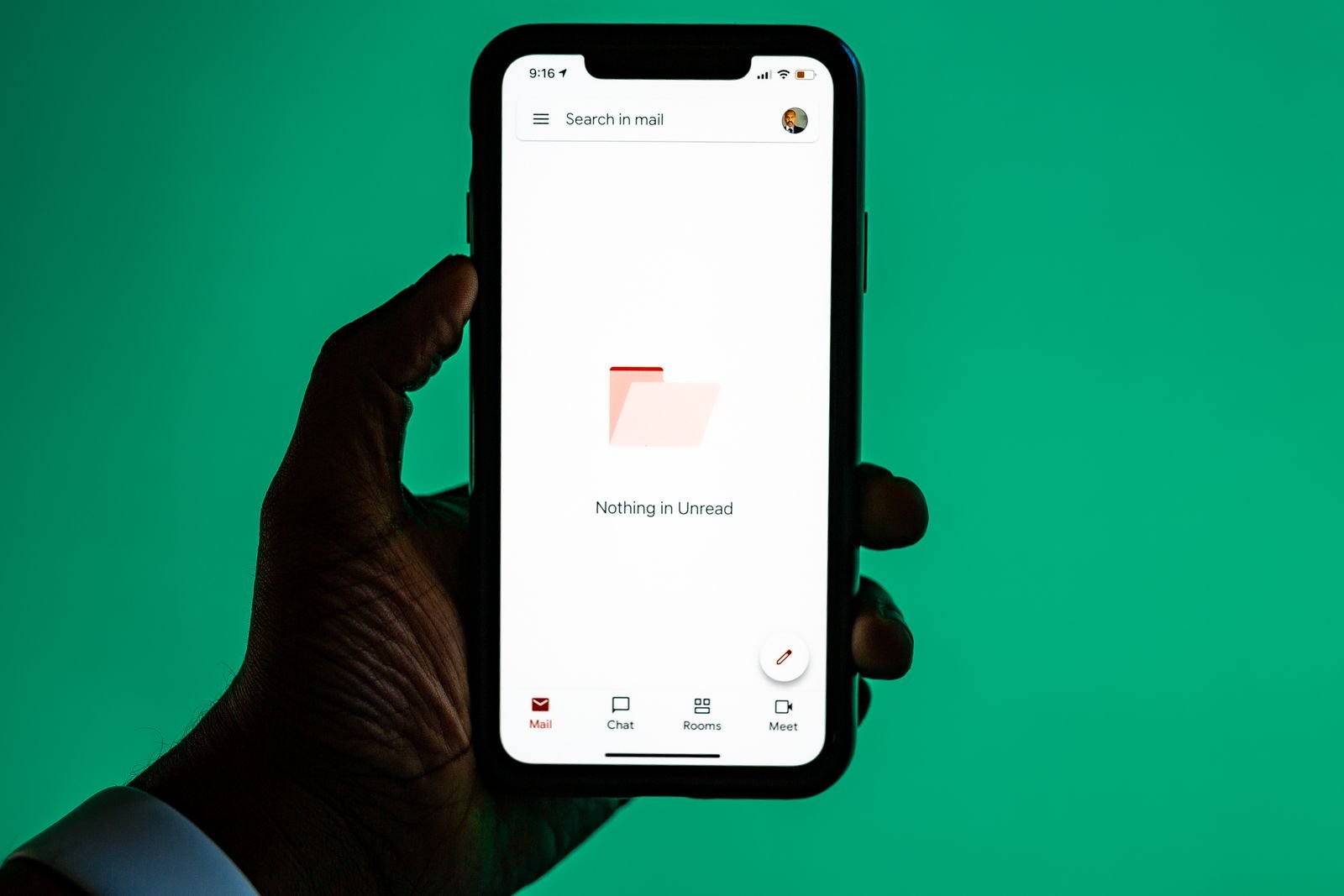
What an AI Email Assistant Actually Does
Let’s clear up the marketing fog, because “AI email assistant” gets slapped on everything from a smart reply button to a full robot chief of staff. At its core, a real ai email assistant does four jobs. First, triage: it reads incoming mail and surfaces what needs you today. Second, summarization: it turns a 47-message thread into three paragraphs. Third, drafting: it writes replies in something close to your voice, which you review and send. And fourth, search and recall: you ask your inbox questions in plain English — “when did the client approve the new design?” — and get an answer instead of 400 threads.
Old-school filters moved messages based on fixed rules you wrote yourself; an ai email assistant understands intent — the difference between a receipt and an invoice that needs payment. Whether that promise holds up in practice is what this review is about.
How I Tested These AI Email Assistant Tools
I tested these the only way that matters: on my actual inbox. For each tool, I pointed it at a real, messy email life — thousands of existing threads, a daily flood of new mail, newsletters I keep meaning to unsubscribe from, and enough long group threads to make any AI sweat. I used each one for a full work week on real mail.
I scored each tool on four things. Triage accuracy — did important messages surface? Summary quality — could I act on the summary without reading the thread? Draft quality — how much editing did replies need before they sounded like me? And trust — how often did I feel the need to double-check what it did on my behalf?
I also weighed the “switching cost”: some tools replace your email client entirely; others work on top of it. That distinction matters more than any feature list, because the best email tool is useless if you won’t switch to it. If email is just one part of your productivity stack, the AI productivity tools guide covers how these assistants fit alongside the rest of your workflow.
Superhuman: The Speed Obsessive’s Dream
Superhuman started the modern email-client arms race, and using it feels like it: everything is keyboard-first, every interaction is measured in milliseconds, and the whole experience is engineered around one goal — getting through email faster.
The AI layer adds one-keystroke thread summaries, drafts from a rough idea of what you want to say, and triage that splits your inbox so the important stuff is simply what’s in front of you. In my testing, Superhuman was the fastest way to get from “200 unread” to “dealt with,” full stop.
But speed is a philosophy with a price. Superhuman works best if you commit to its way of working: keyboard shortcuts, aggressive archiving, treating your inbox like a conveyor belt. If you’re a mouse person who likes to linger over mail, it will feel bossy. It sits at the premium end of the market, priced for people whose email time is genuinely expensive. For executives processing hundreds of messages a day, it’s the benchmark. For the rest of us, it may be more tool than we need.
Shortwave: The AI-Native Inbox
Shortwave was rebuilt around AI from the start rather than bolting it onto a traditional inbox — and the difference is palpable within an hour of using it.
The killer feature is search that understands you. I asked things like “find the thread where we discussed moving the launch to October” and got the actual thread, not a pile of keyword matches. Thread summaries read like a colleague catching you up — decisions called out, action items listed, the noise stripped away. Related threads group by topic, so sprawling projects collapse into one view.
Shortwave’s AI drafting needed the least editing of anything I tested, since it pulls context from the whole thread. The todo lists it auto-generates — “these are the things people asked you to do” — are the closest any tool came to a genuine executive-assistant experience. If you want the most AI-forward inbox available and you’re willing to switch clients for it, Shortwave is my strongest recommendation. Its free tier is generous enough for a proper trial before you decide anything.
Spark: The Smart Choice for Free
Readdle’s Spark has been quietly excellent for years, and its AI features — branded “+AI” — turn it into a very good email app that also summarizes, prioritizes, and drafts, with a free tier that doesn’t feel like a demo.
A single tap turns a long thread into a digest you can act on. The priority inbox learned fast — after three days it reliably separated “needs you” from “FYI” from “newsletter.” AI drafting produced solid first drafts needing a polish pass, not a rewrite.
Spark is also cross-platform in a way the AI-native tools aren’t — proper apps for Mac, iOS, Windows, and Android. If you’re cost-conscious or just not ready to pay for email software, start here. The free AI tools roundup covers more no-cost options, but for email specifically, Spark’s free tier is the one to beat.
Fyxer: The Assistant That Writes Back
Fyxer AI pitches itself as your AI chief of staff for email: not an email client with AI features, but an assistant layer on your existing Gmail or Outlook that drafts replies in your voice, flags what’s important, and handles scheduling and follow-ups.
The drafting is the headline act, and it’s genuinely good. Fyxer learns your writing style — the greetings you use, how formal you are with different people — and its drafts needed less editing than most tools I tested. In one memorable case it drafted a polite meeting decline in exactly the hedging tone I’d have used, and I sent it almost unchanged.
Two caveats: drafts can auto-send or queue for review, and “queue for review” is the right setting for the first month. Second, it’s a service on top of your mail, not a client — the experience is “Gmail plus an AI assistant” rather than a new way of doing email. For busy professionals who won’t switch clients but want the routine replies handled, Fyxer is the most convincing option.
Missive and SaneBox: Fix Email Without Switching Apps
Not everyone wants a new email client. Some of us have years of filters, folders, and muscle memory tied to Gmail or Outlook, and the honest answer is that an ai email assistant doesn’t have to mean a new app. Missive and SaneBox are the two best options for people who want to stay put.
Missive is a team inbox with AI baked in. Threads get AI summaries, you can draft with AI, and — the part that matters for teams — colleagues can comment on threads, assign emails, and collaborate without forwarding chains. If your “email problem” is really a “team coordination problem,” Missive solves the right one. The AI features are competent rather than best-in-class, but combined with the collaboration tools they make a strong package for teams drowning in shared inboxes like support@ or sales@.
SaneBox takes the opposite approach: it doesn’t change your client at all, it just makes it smarter — sorting mail into folders, learning from what you actually read, with snooze and reminder features for the “remember this on Friday” cases. No flashy AI chat interface; just an inbox that organizes itself. For people whose mail lives in Gmail or Outlook and will stay there, SaneBox is the lowest-friction path to AI triage.
Gmail’s Gemini and the Built-In AI Wave
Here’s the awkward truth for this entire category: most people already have an ai email assistant, built into the email app they already use. Gmail’s Gemini integration — thread summaries, “Help me write” drafting, smart replies, an inbox Q&A sidebar — covers the big-ticket AI features. Outlook’s Copilot does the same on the Microsoft side, and Apple’s Mail has quietly added AI summaries too.
In my testing, Gmail’s thread summaries were good enough to make me question paying for a third-party summarizer. They occasionally missed nuance in long, argumentative threads — the AI tends to smooth over disagreements — but for routine threads they were excellent. “Help me write” produced drafts that needed a tone pass but were structurally sound.
So who needs a dedicated tool? If you’re processing hundreds of messages daily, the triage and speed of Superhuman or the AI depth of Shortwave genuinely outperforms the built-ins. If your email is moderate and your client is Gmail, try the built-in AI seriously for two weeks before spending a cent. If you’re curious which AI tools are worth your attention more broadly, the ChatGPT alternatives comparison is a good next stop.

Where AI Email Still Gets It Wrong
The marketing pages show you highlight reels, so here’s the honest failure list. Summary hallucination is the big one. Every tool occasionally wrote summaries that were confident, readable, and partly wrong — a decision recorded that was never made, a deadline stated that was only floated. I caught errors by spot-checking. Never forward an AI summary of a consequential thread without checking it.
Draft tone misses were the second problem. The tools are good at content and occasionally bad at register — a client draft one notch too casual, a follow-up that sounded demanding when I meant curious. I re-read every draft aloud before sending; it takes ten seconds and catches everything.
Triage false positives matter too. Twice, an important message from a new sender got filed as low-priority, and once a newsletter got promoted to “important” because it contained the word “urgent.” No triage system is perfect, and a missed important message costs more than reading a few extra newsletters. Glance at your “low priority” folder for the first couple of weeks — trust, but verify.
Finally, a practical note: these tools are only as good as your prompts. Learning prompt engineering basics pays off in email too — “draft a warm-but-firm reply and suggest Thursday” beats “reply to this.”
The Privacy Conversation You’re Probably Avoiding
An ai email assistant reads your email. All of it. That sentence should land, because most people grant this access with the same care they give cookie banners — which is to say, none.
Your inbox holds the unfiltered record of your professional life: salaries, health issues, strategy debates. Before connecting any tool, read the data policy with actual attention: is your email data used to train their models? How long is it retained? Can you delete it? What happens if you cancel?
The reputable tools here answer clearly — encrypted in transit and at rest, no training on your data without consent, deletion controls. But policies change and companies get acquired, so assume anything you feed an AI assistant outlives your subscription. For truly sensitive correspondence, some professionals keep a separate, unconnected mailbox — low-tech, but effective. And if you’re using one on work email, check your company’s policy first: many organizations restrict which services can process company data.
How to Choose the Right AI Email Assistant
Here’s the framework I’d give a friend. Start with your volume. Under 50 messages a day, the built-in AI in Gmail or Outlook plus good habits takes you most of the way. Over 100, the triage and speed of a dedicated tool pays for itself fast. Then ask the switching question. If you’ll happily move apps, Shortwave offers the deepest AI experience and Spark the best free one. If you won’t switch, Fyxer or SaneBox bring AI to your existing inbox.
Match the tool to your job. Executives with crushing volume should look at Superhuman for speed or Fyxer for delegation; shared support inboxes point to Missive; solo operators will be happy with Spark or SaneBox. Run the privacy check before the free trial, not after. Two weeks of real email beats any review — the tool that earns your trust on your worst inbox day is the right one.
My Honest Recommendation
If I had to pick one ai email assistant for most people, it would be Shortwave — the most genuinely capable AI features, a free tier that lets you prove it to yourself, and the one I kept coming back to after testing everything else. Budget-conscious users should start with Spark, which delivers a remarkable amount for free. High-volume professionals should consider Superhuman if they’re willing to learn the keyboard-first workflow, or Fyxer if they want drafting handled without switching clients. And anyone who refuses to leave Gmail or Outlook should look at SaneBox — the quiet pick that just works.
Don’t buy an annual plan on day one. Run your chosen tool on real mail for a full month — including the chaotic weeks. And remember what these tools are: very capable interns, not replacements for your judgment. The final call on what matters is still yours; the assistant just buys you the time to make it.
Key Takeaways
- The best ai email assistant tools shrink the daily work of email so dramatically that inbox zero stops feeling like a fantasy — triage, summaries, and drafting are the features that matter.
- Shortwave leads on AI capability; Spark is the best free option; Superhuman is fastest for high-volume pros; Fyxer writes the best drafts in your voice; SaneBox fixes Gmail and Outlook without a switch.
- Gmail’s Gemini and Outlook’s Copilot cover the basics well — try the built-ins seriously before paying for a third-party tool.
- Verify AI summaries before forwarding anything consequential, and re-read every AI draft aloud; tone misses and hallucinations are the two failure modes to watch.
- Read the data policy before connecting any tool to your inbox, and check your company’s rules on third-party AI for work email.
Frequently Asked Questions
What is an AI email assistant?
An ai email assistant uses AI to manage email: triaging by importance, summarizing long threads, drafting replies in your voice, and answering questions about your inbox in plain English. Some are full clients (Shortwave, Superhuman, Spark); others layer on top of Gmail or Outlook (Fyxer, SaneBox).
Are AI email assistants safe to use with work email?
Reputable ones encrypt your data and don’t train models on it without consent, but read the data policy before connecting anything and check your employer’s rules on third-party AI tools — many companies restrict which services can process work email.
Can an AI email assistant really get me to inbox zero?
It can make inbox zero dramatically easier, but the tool doesn’t do it for you — you still process the mail. The best tools cut triage time so clearing your inbox becomes a ten-minute routine instead of an hour-long chore, and with aggressive archiving, inbox zero becomes genuinely sustainable.
What’s the best free AI email assistant?
Spark’s free tier is the most complete no-cost option, with AI summaries, drafting, and a priority inbox across all major platforms. Gmail’s built-in Gemini features cover summaries and drafting for most users. Shortwave’s free tier is generous enough for a proper trial.
Will an AI email assistant replace my virtual assistant or executive assistant?
No. These tools handle the mechanical layer — triage, summaries, routine drafts. The judgment calls, relationship management, and complex coordination a good human assistant does are still firmly human territory. Think of the AI as the assistant’s assistant: it clears the routine so humans can do the work that matters.
Conclusion
The best ai email assistant tools have crossed the line from demo-ware to daily utility. Shortwave’s AI-native inbox, Spark’s generous free tier, Superhuman’s speed, Fyxer’s uncanny drafting, and SaneBox’s invisible organizing each solve a real version of the email problem — and Gmail and Outlook already include the basics free. Pick the one that matches your volume and willingness to switch, trial it on a month of real email, and verify summaries and drafts until trust is earned. The goal was never a fancier inbox; it’s the ten quiet minutes when your email is handled and your attention is yours.