

Every few months, some VPN company buys every ad slot on the internet to tell you that without their product, hackers are reading your emails right now. It’s exhausting — and it buries the real question most people have: what is a VPN, actually, and does a normal person need one? The short answer is that a VPN (Virtual Private Network) creates an encrypted tunnel between your device and the internet, hiding your traffic from your network provider and masking your location from the sites you visit.
I’ve used VPNs for years — for work, for travel, and for testing how websites behave in different countries. They’re genuinely useful tools, but they’re also one of the most overhyped products in consumer tech. This guide explains how VPNs really work under the hood, what they actually protect you from, where their limits are, and how to pick one without falling for marketing nonsense.
What Is a VPN, in Plain English?
Imagine you send all your mail through a trusted friend. You seal each letter in an envelope only your friend can open, your friend mails it onward, and replies come back through the same friend, resealed. Anyone watching your mailbox — your nosy neighbor, the postal service — sees only sealed envelopes going to one address. They can’t read the letters, and the recipients never see your home address, only your friend’s.
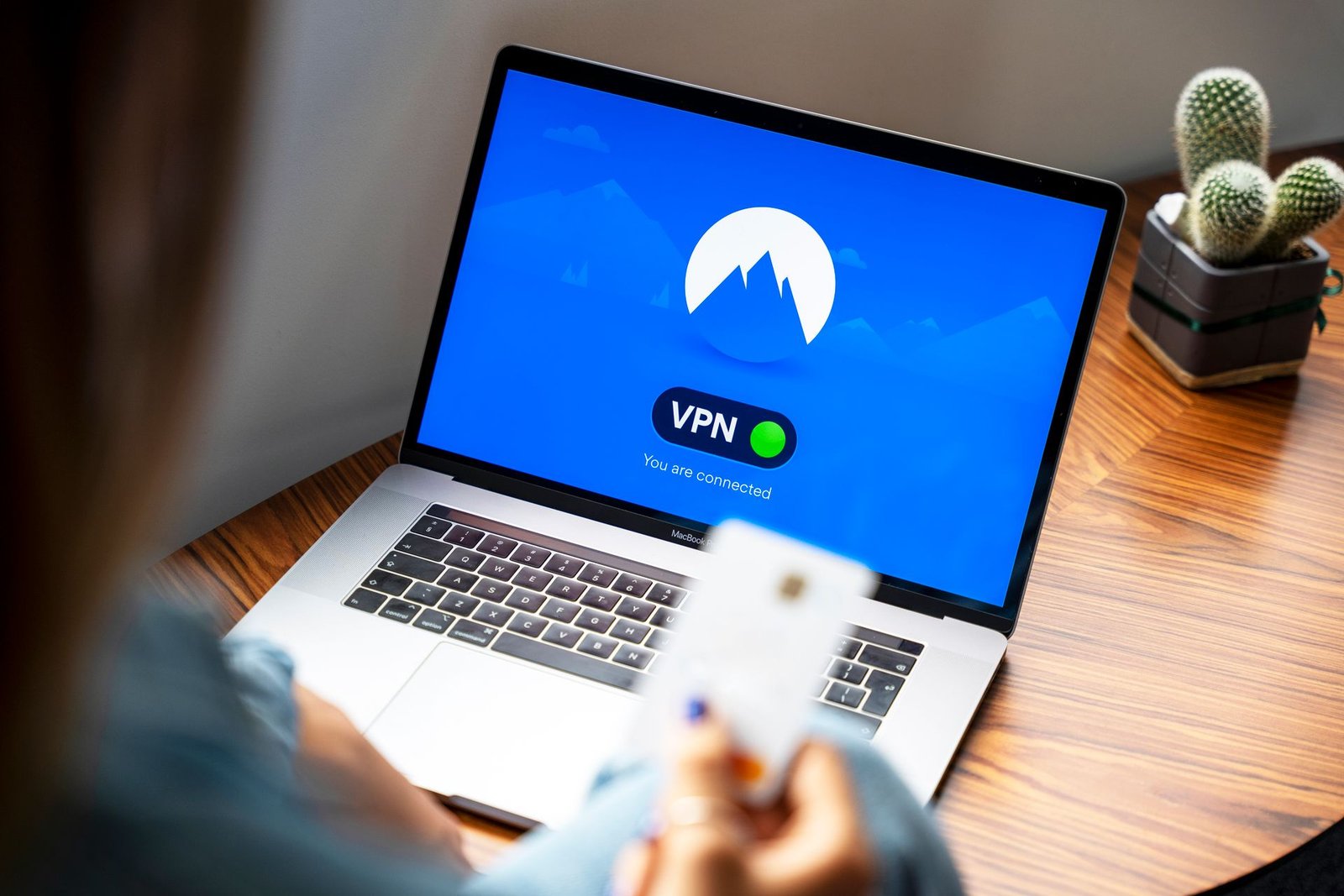
That’s a VPN. Normally, your device connects directly to websites through your internet provider, which can see every site you visit, and each website sees your real IP address (which reveals your approximate location). With a VPN, your device first connects to a VPN server through an encrypted tunnel. Your internet provider sees only encrypted traffic going to that one server. Websites see the VPN server’s IP address and location instead of yours.
The “virtual” means there’s no physical private cable — the privacy is created with encryption over the public internet. The “network” part is a leftover from the technology’s origins: VPNs were first built so company employees could securely reach office networks from home. Consumer VPNs repurposed the same idea for privacy.
One thing to internalize early: a VPN shifts trust, it doesn’t eliminate it. Instead of your internet provider seeing your traffic, your VPN provider can. That’s why choosing a trustworthy provider matters more than any feature list — you’re handing them the same visibility you’re taking away from your ISP.
How a VPN Actually Works
Under the hood, three things happen when you connect: authentication, tunnel establishment, and encryption. You don’t need to configure any of this — the app handles it — but understanding it demystifies the product.
Authentication comes first. Your VPN app proves to the VPN server that you’re a paying customer (usually with credentials plus cryptographic keys), and the server proves its identity to you so you can’t be tricked into connecting to an impostor. This mutual check happens in seconds.
The tunnel is next. Your app and the server negotiate a secure channel — conceptually a pipe inside your regular internet connection. All your traffic gets routed through this pipe instead of going out directly. Technically, your original data packets get wrapped inside new encrypted packets (a process called encapsulation), like putting a sealed letter inside another sealed envelope addressed to the VPN server.
Encryption is what makes the tunnel private. Modern VPNs use strong ciphers — typically AES-256 or ChaCha20 — with keys negotiated fresh for each session. Anyone intercepting the traffic between you and the VPN server sees only meaningless scrambled data. Even your internet provider, your employer on a work network, or someone snooping on cafe WiFi can’t read it.
Once your traffic reaches the VPN server, it’s decrypted and sent on to its real destination — the website, the video call, the game server. Responses travel back through the same tunnel. From the website’s perspective, the request came from the VPN server’s location, not yours. That’s how VPNs can make it appear you’re browsing from another city or country.
There’s one more component worth knowing: the kill switch. If your VPN connection drops unexpectedly, your device would normally fall back to a direct, unencrypted connection — silently exposing you. A kill switch blocks all internet traffic until the VPN reconnects. Any VPN worth using has one; make sure it’s turned on.
One more detail worth knowing: DNS leaks. When you type a website address, your device asks a DNS server to translate it into an IP address — and those requests can reveal your browsing even with a VPN running, if they go to your ISP’s DNS instead of the VPN’s. Good VPN apps route DNS through the tunnel automatically and include leak protection; it’s worth verifying with an online DNS leak test after you connect the first time.
What a VPN Protects You From (and What It Doesn’t)
Honest VPN marketing would be half as long, so let me draw the lines clearly.
A VPN does protect you from: your internet provider logging and selling your browsing history; network snoopers on public WiFi reading your unencrypted traffic; websites and advertisers seeing your real IP address and location; basic forms of network-level censorship and throttling; and insecure networks at hotels, airports, and cafes intercepting your connection.
A VPN does not protect you from: malware — a VPN won’t stop a virus you download; phishing — a fake login page works fine over an encrypted tunnel; tracking by cookies, browser fingerprinting, or being logged into Google and Facebook (they know who you are regardless of your IP); a malicious or logging VPN provider itself; or legal authorities with proper orders served to the provider.
The tracking point deserves emphasis because it’s the biggest misconception. If you’re logged into your accounts, advertisers don’t need your IP address — your login, cookies, and device fingerprint identify you perfectly. A VPN hides your traffic from the network, not your identity from the services you use. Privacy requires layers: VPN plus tracker blocking plus sensible account hygiene.
Similarly, a VPN doesn’t make you anonymous. True anonymity requires tools designed for it and disciplined behavior. A VPN gives you privacy from your local network and ISP, and location flexibility — valuable things, but not invisibility.
Common VPN Protocols Explained Simply
The “protocol” is the set of rules your app and the server use to build the tunnel. You’ll see these names in settings; here’s what they mean in practice.
WireGuard is the modern standard and my default recommendation. It’s fast, uses state-of-the-art cryptography, and its codebase is tiny compared to older protocols — which means fewer places for bugs to hide and easier security audits. Most top VPN providers now offer it, sometimes under their own branded variant.
OpenVPN is the veteran workhorse. It’s been around for over two decades, is thoroughly audited, and is extremely flexible — it can disguise VPN traffic to slip past networks that try to block VPNs. It’s slower than WireGuard and more complex to configure, but it’s the most battle-tested option and a fine choice.
IKEv2/IPsec is common on mobile devices because it handles network switching gracefully — moving from WiFi to cellular without dropping the tunnel. If your VPN app picks this automatically on your phone, that’s a sensible default.
Protocols you’ll see marketed but should generally avoid for privacy: PPTP, which is cryptographically broken and should be considered insecure, and L2TP/IPsec, which is outdated and slow. If a provider only offers these, that’s a red flag about the provider itself.
For most people, the practical advice is simple: use WireGuard if available, OpenVPN as the fallback, and don’t overthink it. The protocol matters far less than the provider’s trustworthiness.
When Should You Actually Use a VPN?
Forget the fear-based ads. Here are the situations where a VPN genuinely earns its keep.
On public WiFi — cafes, airports, hotels, co-working spaces. You share these networks with strangers, and while most modern websites use HTTPS encryption, a VPN adds a blanket layer that covers everything, including apps and background traffic that might not be encrypted. This is the single best everyday reason to use one.
When your ISP’s data practices bother you. In many countries, internet providers can legally log and monetize your browsing history. A VPN moves that visibility to a provider you’ve chosen, ideally one with a verified no-logs policy. Whether that trade is worth it depends on how much you trust each party — but at least it’s your choice.
For location flexibility. Streaming libraries, sports blackouts, and regional pricing differ by country. A VPN lets you appear to browse from elsewhere. I’ll note honestly that streaming services actively fight this and it violates most of their terms of service — it works often enough that people do it, but expect an ongoing cat-and-mouse game.
When traveling. Some countries restrict access to messaging apps, news sites, or social media. A VPN can restore access. Also practical: booking sites sometimes show different prices by region, and banking from abroad can trigger fraud alerts less often when your traffic appears domestic. Check local laws first — VPNs are restricted or illegal in a handful of countries.
For remote work security. Many employers require VPNs to access company resources, which is the technology’s original use case and still its most legitimate one. If your job involves sensitive data on untrusted networks, this isn’t optional.
For shared living situations. In dorms, shared houses, or apartments with one router for everyone, a VPN on your own device keeps your traffic private from others on the same network. Your housemates don’t need to see which sites you visit any more than your ISP does.
When you probably don’t need one: at home on your own secured network, doing ordinary browsing, if your threat model is just “I don’t want Google to track me” (a VPN doesn’t fix that). Don’t let anyone sell you a VPN as a general-purpose invisibility cloak.
VPN Myths Worth Retiring
“A VPN makes you completely anonymous.” No. It hides your IP from websites and your traffic from your ISP. Cookies, logins, device fingerprints, and payment trails still identify you. Anonymity is a much harder problem than one app can solve.
“Free VPNs are just as good.” Running VPN servers costs real money — bandwidth, infrastructure, staff. If you’re not paying, the provider is monetizing you somehow, and the most available thing to monetize is your data. Multiple “free VPN” apps have been caught logging and selling user traffic, which is the exact opposite of the product’s purpose. There are a few reputable providers with limited free tiers funded by their paid users; those are the only free options I’d touch.
“You need a VPN or hackers will steal everything.” The ads showing a hooded figure intercepting your bank login the moment you join cafe WiFi are theater. Modern banking uses strong encryption already; a VPN adds a layer, but the dramatic scenarios are wildly overstated. Use one for the real reasons, not the scary cartoon.
“A VPN will massively slow your internet.” With modern protocols like WireGuard on a nearby server, the speed loss is usually small — often unnoticeable for browsing and streaming. If your VPN halves your speed, try a closer server or a different protocol before blaming the concept.
“VPNs are only for doing shady things.” Journalists, activists, remote workers, travelers, and privacy-conscious ordinary people all use VPNs legitimately. Wanting your ISP not to sell your browsing history isn’t suspicious; it’s reasonable.
How to Choose a VPN Without Getting Scammed
The VPN market is full of aggressive marketing, fake review sites (many owned by VPN companies themselves), and inflated claims. Here’s how I cut through it.
Jurisdiction and logging policy. Look for providers based in privacy-respecting jurisdictions with a clear, plain-language no-logs policy — and ideally one that’s been independently audited or tested in court. “No logs” in marketing copy is meaningless without verification; audited no-logs is the real thing.
Ownership transparency. Know who owns the company. The industry has consolidated heavily, with a few conglomerates owning many “independent” VPN brands. That’s not automatically disqualifying, but secrecy about ownership is.
Independent audits. Reputable providers commission third-party audits of their apps, infrastructure, and no-logs claims, then publish the results. This is the single strongest trust signal in the industry.
The basics done right: modern protocols (WireGuard, OpenVPN), a kill switch on all platforms, DNS leak protection, and apps for all your devices from official sources. Also check the server network is real — some providers fake server locations with virtual servers.
Pricing honesty. Be skeptical of “90% off, deal ends tonight” countdown timers that never end — that’s the industry’s standard manipulative pricing. Look at the actual renewal price, not the introductory offer, and prefer providers with reasonable refund policies. A VPN that costs a few dollars a month on a transparent plan beats a “lifetime deal” from a company that might not exist next year.
What to avoid: free unlimited VPNs from unknown companies, providers that won’t clearly state their logging policy, apps with no published audits, and any service marketed primarily through fear. Also avoid VPNs bundled as an afterthought in random utility apps — the VPN deserves a provider whose whole business is privacy infrastructure.
Key Takeaways
- A VPN creates an encrypted tunnel between your device and a VPN server, hiding your traffic from your ISP and your IP address from websites.
- It shifts trust from your internet provider to the VPN provider — so provider trustworthiness matters more than features.
- A VPN protects against network snooping, ISP logging, and IP-based tracking, but not against malware, phishing, or cookie-based tracking.
- WireGuard is the best modern protocol choice; OpenVPN is the battle-tested alternative. Avoid PPTP entirely.
- The strongest everyday use cases are public WiFi, ISP privacy, travel, and remote work — not general “invisibility.”
- Free unlimited VPNs from unknown companies are a privacy risk, not a privacy tool.
- Choose based on audited no-logs policies, transparent ownership, independent security audits, and honest pricing.
Frequently Asked Questions
What is a VPN in simple terms?
A VPN is an app that encrypts your internet connection and routes it through a server run by the VPN company. This hides your browsing from your internet provider and makes websites see the server’s location instead of yours — like sending all your mail through a trusted friend.
Is using a VPN legal?
In most countries, yes — VPNs are legal and widely used for work and privacy. A small number of countries restrict or ban them, so check local laws when traveling. Note that a VPN doesn’t make illegal activity legal; it only changes what your network provider can see.
Will a VPN slow down my internet?
Slightly, but usually not noticeably. Modern protocols like WireGuard add minimal overhead, especially when you connect to a nearby server. If speeds drop dramatically, try switching servers or protocols before giving up on the VPN.
Can I be tracked while using a VPN?
Yes, by methods that don’t depend on your IP address — cookies, browser fingerprinting, and being logged into accounts like Google or Facebook all still identify you. A VPN hides your traffic from networks and your location from sites, but it’s one layer of privacy, not total anonymity.
Do I need a VPN at home?
Usually not for security — your home network is already private to you, and most websites use HTTPS encryption. The main home use cases are preventing ISP tracking and accessing region-restricted content. Public WiFi is where a VPN matters most.
Final Thoughts
So what is a VPN, stripped of the marketing? It’s a focused privacy tool: an encrypted tunnel that keeps your local network and ISP out of your business and gives you control over your apparent location. It won’t make you anonymous, stop malware, or defeat phishing — and anyone selling it as a cure-all is selling something. But for public WiFi, ISP privacy, travel, and remote work, a good VPN from an audited, transparent provider is genuinely worth the few dollars a month. Pick one for the right reasons, turn on the kill switch, and get on with your life.