

What is computer vision? In the simplest terms, it’s the field of artificial intelligence that gives machines the ability to see — and, more importantly, to understand what they’re looking at. When your phone unlocks the moment it recognizes your face, when an app identifies the plant in your photo, or when a self-driving car brakes for a pedestrian it “saw” in its camera feed, that’s computer vision doing its quiet, invisible work.
Humans take vision for granted. You glance at a street scene and instantly know which shapes are people, which are cars, and which are buildings, even in rain or at dusk. For a computer, that same scene is just a grid of numbers — millions of pixel values with no meaning attached. Computer vision is the science of teaching machines to turn those meaningless numbers into understanding.
It’s one of the oldest dreams in AI research, and also one of the most useful technologies of our time. In this guide, I’ll explain what computer vision is, how it actually works, where you encounter it every day, and where it’s heading — all in plain English, no math degree required.
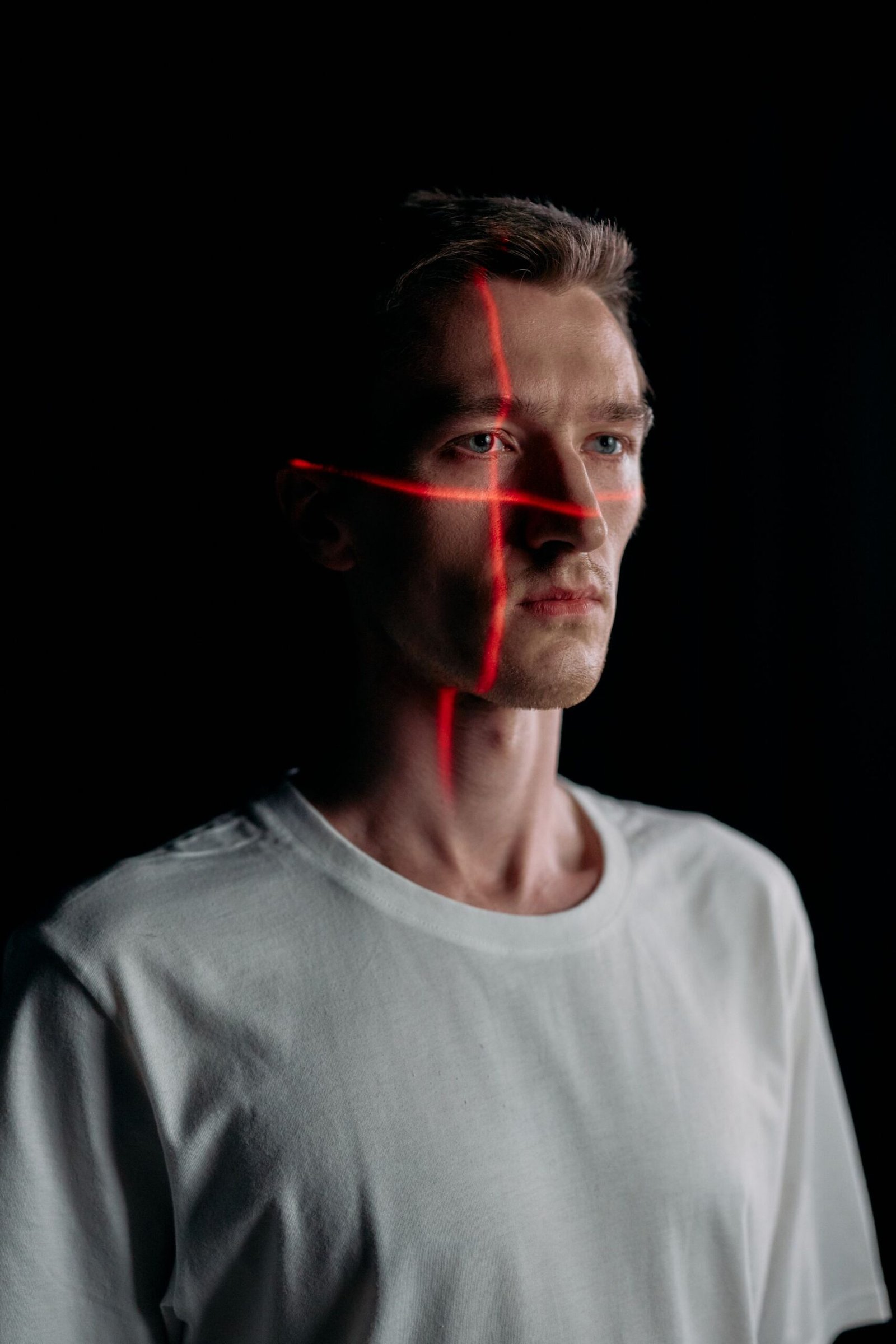
What Is Computer Vision, Exactly?
Let’s nail down the definition. Computer vision is a subfield of artificial intelligence that enables computers to interpret and understand visual information — images, videos, and live camera feeds. The goal is to make machines perceive visual input the way humans do, then use that perception to make decisions.
Here’s a useful way to think about it: a regular camera captures images; computer vision understands them. Your phone’s camera can take a beautiful photo, but it can’t tell you whether the animal in it is a wolf or a husky. Add computer vision, and the same phone can identify the breed, translate the text on a sign in the background, and tag your friend’s face — all from the same pixels.
Computer vision sits inside the broader AI family: artificial intelligence is the big umbrella, machine learning is the branch where systems learn from data, and deep learning is a further subset using layered neural networks. Most modern computer vision runs on deep learning. For a full map of how these terms relate, see the breakdown of AI vs. machine learning vs. deep learning.
How Computer Vision Works: A Plain-English Explanation
To understand how machines “see,” it helps to start with what an image actually is to a computer. Every digital photo is a grid of tiny squares called pixels. Each pixel has a numeric value describing its color — that’s it. A photo that looks like your dog to you is, to a computer, a spreadsheet of millions of numbers. Computer vision’s whole job is to find meaningful patterns in that spreadsheet.
The process happens in stages, and modern systems usually handle them in one smooth pipeline:
1. Image acquisition. A camera, scanner, or sensor captures the image. This sounds trivial, but it matters — lighting, angle, resolution, and lens quality all affect what the system can detect. That’s why self-driving cars use multiple cameras and other sensors instead of relying on a single viewpoint.
2. Preprocessing. The raw image gets cleaned up: resized to a standard dimension, normalized so brightness differences don’t confuse the model, and filtered to reduce noise. Think of it as putting on your glasses before reading — the text was always there, but now it’s sharp.
3. Feature extraction. The system scans for patterns — edges, corners, textures, shapes. Early computer vision did this with hand-designed rules; modern deep learning systems discover these features on their own by training on millions of labeled images.
4. Recognition and interpretation. Extracted patterns get matched against what the model learned during training. The output might be a label (“this is a cat”), a bounding box around an object, a pixel-level mask, or even a description of what’s happening.
5. Decision or action. Finally, the understanding gets used: the phone unlocks, the car brakes, the factory robot rejects a defective part.
The dominant technique behind steps 3 and 4 is the convolutional neural network (CNN) — a neural network architecture designed specifically for images. It processes the pixel grid in layers: early layers detect edges, later layers combine those into complex concepts like faces and objects. The breakthrough moment came in 2012, when a CNN called AlexNet won the ImageNet image-recognition competition. That result convinced the research world that deep learning was the future of computer vision.
The Four Core Tasks of Computer Vision
Computer vision isn’t one single trick — it’s a family of tasks that build on each other:
Image classification is the simplest: look at a whole image and answer “what is this?” Your phone’s photo app uses it to auto-tag pictures as “food,” “pets,” or “travel.”
Object detection finds every object of interest and draws a box around each one. This is how self-driving cars track pedestrians and cyclists, and how phone cameras draw boxes around faces before focusing.
Image segmentation labels every single pixel — telling a car exactly which pixels are road, sidewalk, or person. Medical imaging uses it to outline tumors in scans with pixel-level accuracy.
Facial recognition identifies or verifies a specific person from their face — either verifying the phone’s owner or identifying someone in a crowd. Same technology, very different privacy implications.
These tasks often stack: a retail system might detect people, estimate their age, and track them across cameras — all on the same video feed.
Computer Vision in Your Everyday Life
You’ve probably used computer vision a dozen times today without realizing it. Here’s where it hides in plain sight:
Your smartphone is a computer vision powerhouse. Face unlock maps the geometry of your face; portrait mode uses segmentation to blur the background; the camera app detects scenes (“night,” “food”) and adjusts settings automatically. Google Lens lets you point your camera at a landmark or product and get information instantly.
Social media leans on it heavily. Auto-tagging suggests who is in your photo, filters track your facial features in real time, and content moderation systems scan billions of uploaded images for policy violations.
Shopping has quietly transformed. Visual search lets you photograph a jacket you like and find similar products online. Amazon’s cashier-less stores track which items you pick up using ceiling cameras.
Photo management would be chaos without it. Tools that search your photo library for “beach” or “birthday cake” run image classification on every picture you own. Modern AI photo enhancer tools use vision models to upscale old photos, remove objects, and fix lighting — tasks that once required a professional retoucher.
The pattern is consistent: computer vision succeeds commercially where it removes friction — unlocking, searching, sorting, and checking — rather than where it tries to be flashy.
Computer Vision in Industry and Science
Beyond consumer gadgets, computer vision does serious work in fields where human eyes are too slow, too expensive, or too inconsistent:
Healthcare. Radiologists use vision models trained on medical scans to flag potential tumors, fractures, and eye disease — often catching subtle patterns in X-rays, MRIs, and retinal images. The technology acts as a tireless second reader that never gets fatigued. Dermatology apps can triage skin lesions, and pathology labs use segmentation to measure cell structures precisely.
Manufacturing. Factory cameras inspect products at speeds no human could match: checking circuit boards for soldering defects, verifying pill bottle caps, spotting cracks in aircraft parts. A single production line might run dozens of vision checks per second.
Agriculture. Camera-equipped drones and tractors scan fields to spot crop disease, identify weeds for targeted spraying, and assess ripeness — cutting chemical use by treating only the plants that need it. Modern drones rely on vision for obstacle avoidance and tracking, as covered in our drone buying guide.
Retail and logistics. Warehouses use vision-guided robots to pick items from shelves, and stores analyze foot traffic patterns from camera feeds to optimize layouts — though this edges into the privacy questions discussed below.
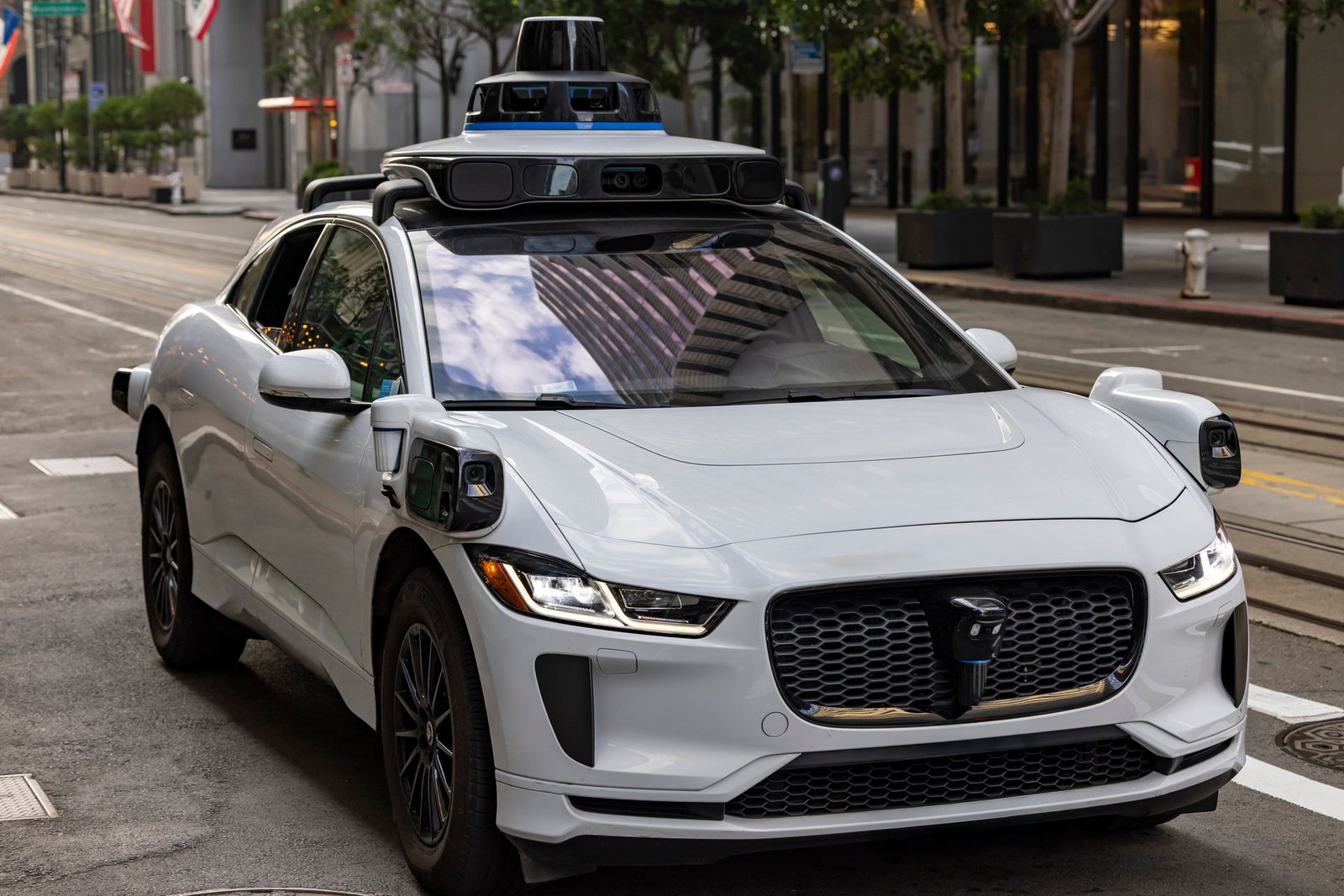
Autonomous vehicles. Self-driving cars are the most ambitious computer vision project ever attempted. They fuse camera input with radar and lidar to build a real-time 3D understanding of the road: lane markings, traffic lights, pedestrians, cyclists, debris. The car must do this dozens of times per second, in rain and glare, with lives on the line — a stunning achievement, and still a work in progress.
Why Computer Vision Is Hard (and What Still Goes Wrong)
If computer vision works so well, why do systems still make embarrassing mistakes? Because seeing is genuinely one of the hardest problems in AI. A significant share of the human brain is devoted to visual processing, built over millions of years of evolution. We’re asking software to replicate that with a fraction of the effort.
Lighting and variation remain the classic enemies. A face recognition system trained on well-lit studio photos can fail on a dim street at night. A model that learned what a stop sign looks like in one country might not recognize a differently designed one elsewhere. The real world is infinitely varied; training data is always finite.
Bias in training data causes real harm. Multiple independent audits have found that some facial recognition systems perform noticeably worse on darker-skinned faces and on women — because the datasets they were trained on skewed toward lighter-skinned men. The broader problem of algorithmic bias and how it creeps into AI systems is worth understanding on its own, which is why we wrote a dedicated guide to AI ethics and bias.
Context and common sense are still missing. A vision model can label every object in a kitchen photo perfectly and still not understand that the pot is about to boil over, or that the toddler reaching for the knife is a problem. Humans see meaning; machines see patterns. Closing that gap is the frontier of the field.
Privacy is the elephant in the room. A technology that can identify anyone in any camera feed is enormously powerful, and power invites misuse. As a user, it’s worth knowing when your face is being analyzed — from store cameras to photo uploads — and what the policies are.
How to Get Started With Computer Vision
Curious enough to try it yourself? The barrier to entry has never been lower — you don’t need a PhD or expensive hardware to build something that sees.
Start with the concepts, not the code. Before touching a library, make sure you understand the basics of machine learning — how models train on data, what overfitting looks like, and why data quality matters more than model size. That foundation will save you weeks of confusion later.
Use pre-trained models first. You don’t need to train a vision model from scratch — researchers have already trained excellent ones on millions of images and released them publicly. Libraries like OpenCV, PyTorch, and TensorFlow let you download a pre-trained model and start classifying images in an afternoon. Cloud APIs will detect objects, read text from images, and analyze faces with a single API call — no training required.
Pick a small, fun project. The best first projects are concrete: a plant identifier for your garden photos, or a tool that sorts your messy photo folder by content. Small projects teach the full pipeline — data, model, evaluation — without drowning you.
Learn the data side. Beginners obsess over models; practitioners obsess over data. A modest model trained on clean, well-labeled images beats a fancy model trained on garbage every time. Learning how to collect, label, and augment image data is the highest-leverage skill in computer vision.
The Future of Computer Vision
Where is all of this heading? A few trends are worth watching:
Multimodal AI is the biggest one. The newest systems don’t just see or just read — they do both together. A model can look at a photo and answer questions about it in natural language. Vision and language are merging into single systems that understand the world more like humans do, through multiple senses at once.
Edge computing is pushing vision onto devices. Instead of sending your camera feed to a distant server, processing happens on the phone, the car, or the factory sensor itself — faster responses, better privacy, and systems that work without an internet connection.
3D understanding is maturing. Beyond flat images, systems are learning to reconstruct full 3D scenes from ordinary video — mapping rooms and enabling augmented reality that actually understands the space it’s in.
Synthetic training data is solving the data bottleneck. Instead of photographing a million real cars in a million real conditions, developers generate photorealistic simulated scenes to train on — including rare, dangerous scenarios that would be unethical or impossible to capture in real life.
Regulation is catching up. Governments are writing rules about where facial recognition can be deployed and how biometric data must be stored. The technology’s future will be shaped as much by law and public trust as by research breakthroughs.
And yes, the workforce question applies here too. Vision automation is already changing jobs in quality inspection, security monitoring, and radiology assistance — not by eliminating entire professions overnight, but by shifting what human workers spend their time on. For the bigger picture, see our guide on whether AI will replace jobs.
Key Takeaways
- What is computer vision? It’s the AI subfield that enables machines to interpret and understand images and video — turning pixel data into meaningful understanding and action.
- The core pipeline runs from image capture through preprocessing, feature extraction, recognition, and decision — with convolutional neural networks doing most of the heavy lifting.
- The four fundamental tasks are image classification, object detection, image segmentation, and facial recognition, and they stack to power complex applications.
- You already use computer vision daily: face unlock, photo search, visual shopping, sports broadcasts, and content moderation all depend on it.
- The technology is powerful but imperfect — lighting variation, adversarial attacks, training-data bias, and missing common sense still cause real failures.
- Getting started is easier than ever thanks to pre-trained models and cloud APIs; focus on data skills, not just model architectures.
Frequently Asked Questions
What is computer vision in simple terms?
Computer vision is technology that lets computers understand images and videos the way humans do. Instead of just storing a photo, a computer vision system can tell you what’s in the photo — people, objects, text, even what’s happening — and then act on that understanding, like unlocking your phone or braking a car.
What is the difference between computer vision and image processing?
Image processing changes an image (resizing, filtering, enhancing brightness); computer vision understands an image (identifying objects, recognizing faces). A vision pipeline usually starts with image processing steps — but processing manipulates pixels, and vision interprets them.
What are some real-world examples of computer vision?
Face unlock on phones, self-driving cars, medical scan analysis, factory quality inspection, Google Lens visual search, photo library auto-tagging, sports broadcast graphics, cashier-less stores, and airport security screening. If a system reacts to what a camera sees, computer vision is probably involved.
Do I need to know advanced math to learn computer vision?
Not to get started. Modern libraries and pre-trained models let you build working vision applications with basic programming skills. The math becomes useful when you want to design new models or deeply understand failures — but it’s not a prerequisite for your first project.
Is computer vision the same as facial recognition?
No — facial recognition is one application of computer vision, not the whole field. Computer vision also covers object detection, medical imaging, autonomous navigation, and quality inspection. Confusing the two is like confusing “transportation” with “airplanes.”
What are the main limitations of computer vision today?
Systems still struggle with unusual lighting, rare situations, and training-data bias that makes performance uneven across different groups. Current systems recognize patterns without true understanding — they can label everything in a scene while missing its meaning. Privacy concerns around widespread camera analysis also remain unresolved.
Conclusion
So, what is computer vision? It’s the technology that taught machines to see — taking the meaningless grid of numbers that is a digital image and extracting understanding from it: faces, objects, text, and scenes. From the phone in your pocket to the cars on the road to the scanners in hospitals, it has quietly become one of the most consequential AI technologies of our time.
The honest picture is that computer vision is both remarkable and unfinished. It outperforms humans at narrow, well-defined visual tasks while still failing at things a toddler finds trivial. It creates enormous value while raising genuine questions about privacy and bias. Understanding both sides — the capability and the limits — is what separates informed users and builders from hype-chasers.
If this guide sparked your curiosity, the next step is hands-on: grab a pre-trained model, point it at your own photos, and watch it work. There’s no faster way to understand a technology that sees than to build something that sees alongside you.