

Every year, dozens of new phones launch, each one advertised as a revolution, and within a month they all blur together in my memory. If you want to know how to choose a smartphone without losing a weekend to spec sheets and contradictory reviews, here is the secret I have learned after years of buying phones for myself and advising everyone who asks: start with your life, not the spec sheet.
Your phone is the most-used computer you own. You will touch it thousands of times a day for years, so the goal is not to buy the “best” phone — it is to buy the phone whose strengths line up with what you actually do. This guide gives you a practical framework for that decision: operating system, performance, camera, battery, display, storage, and price, each explained in terms of real daily use rather than marketing claims.
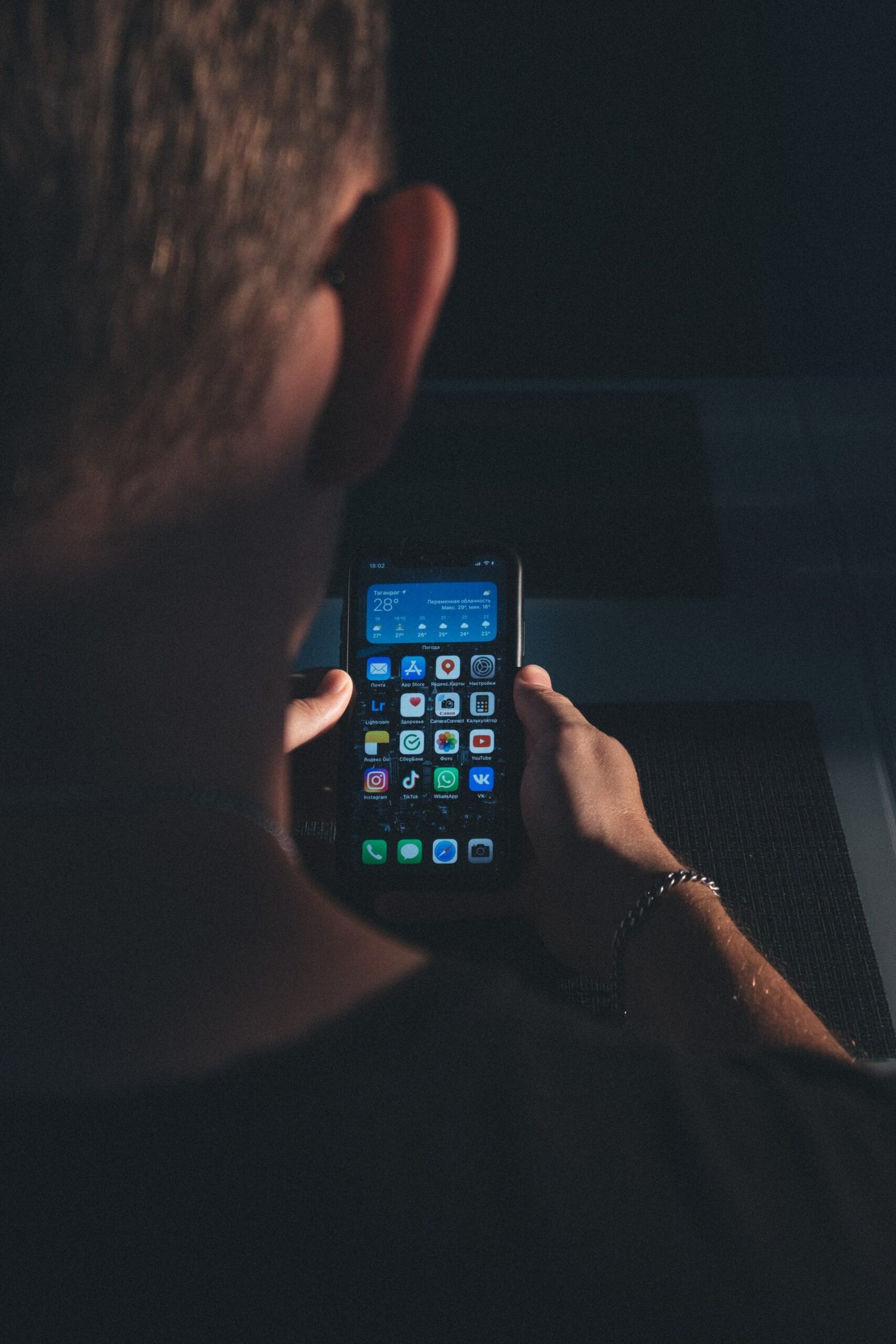
How to Choose a Smartphone: Start With Your Priorities
Before comparing a single model, write down honest answers to four questions. They will filter out most of the noise:
- What do you do most on your phone? Photography, gaming, social media, work email, navigation, reading — rank your top three. A mobile gamer and a photography enthusiast need different strengths.
- How long do you keep phones? If you upgrade every two years, long-term software support matters less. If you keep a phone for four or five years, it matters enormously.
- What ecosystem are you already in? A house full of one brand’s tablets, watches, earbuds, and laptops makes switching platforms expensive in both money and convenience.
- What is your real budget? Include the cost of a case and screen protector — and remember that mid-range phones today do nearly everything flagships do.
Keep this list beside you while reading the rest. Every section below maps back to it.
iOS vs Android: Picking Your Side of the Fence
The operating system is the single biggest decision, because it shapes your daily experience more than any chip or camera. Both platforms are mature, fast, and capable — the differences are about philosophy and ecosystem, not quality.
iOS offers a tightly controlled experience: consistent design, strong privacy defaults, timely software updates across all supported models for many years, and deep integration if you also use that company’s tablets, watches, laptops, or earbuds. The trade-offs are less customization, fewer hardware choices (one manufacturer), and premium pricing across the lineup.
Android offers variety: dozens of manufacturers at every price point, deep customization of the home screen and defaults, and features that often arrive here first. The trade-offs are inconsistency — software update policies vary wildly by manufacturer and price tier — and a wider range of build quality, which means you need to research the specific model, not just the brand.
Practical advice: if everyone in your family uses one platform, or your essential apps and accessories live in one ecosystem, switching rarely pays off. The “better” OS is the one that creates the least friction in your life. Do not switch platforms for a single feature — features get copied within a year, but ecosystems take years to rebuild.
Performance: What “Fast Enough” Really Means
Phone marketing loves chip names and benchmark scores, but here is what actually matters: virtually every mid-range and flagship phone sold today is fast enough for messaging, social media, browsing, photography, and streaming. The differences show up in specific situations:
- Mobile gaming. Demanding 3D games benefit from top-tier chips and good thermal design. If you game heavily, this is worth paying for; if you play casual puzzle games, it is not.
- Longevity. A faster chip ages more gracefully. A phone that feels instant today will still feel fine in three years if the processor has headroom — this is one of the best arguments for buying slightly more performance than you need right now.
- Camera processing and AI features. Modern photography is computational: night modes, portrait effects, and real-time translation all lean on the chip. Better silicon means better photos in hard conditions and snappier smart features.
- RAM. More memory keeps apps alive in the background instead of reloading them. For heavy multitaskers, 8 GB or more makes switching between apps noticeably smoother.
My rule of thumb: buy the performance tier for the phone’s last year of your ownership, not its first. The phone that feels merely “fine” on day one will feel slow in year three; the phone with headroom stays pleasant throughout.

The Camera: Separating Marketing From Reality
Cameras sell phones, so camera marketing is where the hype runs hottest. Here is how to see through it.
Megapixels are not the ranking. A 200-megapixel sensor does not automatically beat a 50-megapixel one. What decides photo quality is the combination of sensor size (bigger sensors capture more light), lens quality, and — most importantly — the software processing that turns raw sensor data into the photo you see. Two phones with similar sensors can produce wildly different photos because of processing.
What actually matters for most people:
- Main camera quality in normal and low light. This is the camera you will use for 90% of shots. Look at real-world sample photos in reviews, especially indoor and evening shots — that is where weak cameras fall apart.
- Ultra-wide and telephoto usefulness. An ultra-wide lens is great for landscapes, groups, and tight interiors. A telephoto (optical zoom) matters if you photograph kids’ sports, wildlife, or concerts. If you rarely zoom, do not pay extra for a periscope lens you will not use.
- Video quality and stabilization. If you shoot video for social media or family memories, check stabilization and 4K quality — these vary more between phones than still-photo quality does.
- Selfie camera. Often overlooked in reviews, constantly used in life. If video calls and selfies matter to you, check this specifically.
How to evaluate: ignore the spec sheet and look at blind camera comparisons and full-resolution sample galleries from reviewers you trust. Pay special attention to consistency — a camera that takes great shots in daylight but mushy ones indoors will disappoint you more than a slightly-less-sharp camera that performs reliably everywhere.
Battery Life and Charging: The Spec You Feel Daily
Nothing ruins a phone faster than battery anxiety. Manufacturers quote hours of video playback or standby, which tells you almost nothing about a day of messaging, maps, camera use, and social scrolling. Look instead for reviews that measure screen-on time under mixed real-world use.
Battery capacity (measured in mAh) is a rough guide, but efficiency matters as much as size — a well-optimized phone with a smaller battery can outlast a poorly optimized one with a bigger cell. Screen size, refresh rate, and chip efficiency all feed into the result.
What to aim for: a phone that comfortably survives your longest day. If you are near chargers all day, this is a minor concern. If you travel, commute long hours, or spend weekends outdoors, all-day-and-then-some battery life is worth prioritizing over almost any other spec.
Charging speed is the underrated half of the equation. A phone that charges to half in fifteen minutes changes your relationship with battery anxiety — you stop planning around the charger and just top up opportunistically. Check both the wired charging speed and whether the fast charger is included in the box (increasingly, it is not). For the full story on modern charging standards, see my USB-C explained guide. Wireless charging is convenient for desk and nightstand use but slower; treat it as a nice bonus rather than a deciding factor.
One more consideration: battery health over time. All lithium batteries degrade, and after two to three years of daily charging, capacity noticeably drops. Phones with battery-health management features and affordable battery replacement services age more gracefully — worth checking if you keep phones for years.
Display: Size, Quality, and How You Hold It
The display is your window into everything the phone does, and size is the first decision:
- Compact phones (roughly 6.1 inches and under) are usable one-handed, pocket-friendly, and lighter. The trade-off is less room for video, reading, and split-screen multitasking.
- Large phones (6.5 inches and up) are better for video, gaming, reading, and productivity, with bigger batteries as a bonus. The trade-off is one-handed use — try reaching the top corner in a store before committing.
Beyond size, check panel type: OLED displays (and their variants) offer deeper blacks, better contrast, and usually better efficiency than LCD. At this point most mid-range and flagship phones use OLED, and the difference is visible side by side.
Refresh rate — 90 Hz or 120 Hz versus the traditional 60 Hz — makes scrolling and animations look noticeably smoother. Once you have used a high-refresh display, going back feels sluggish. It does cost some battery, but most phones adapt the rate dynamically now. I consider it a genuinely worthwhile feature, though not worth a big price jump on its own.
Brightness matters more than people expect. A dim screen is miserable outdoors, and peak brightness figures in reviews tell you how usable the phone is in sunlight. If you spend time outside, prioritize this.
Storage and Memory: Buying Headroom
Storage is the spec people most often underestimate. The operating system and preinstalled apps consume a chunk before you install anything, and photos, videos, offline maps, music, and games accumulate relentlessly. Practical guidance:
- 128 GB is the workable minimum today — fine if you stream everything, use cloud photo backup, and do not game heavily.
- 256 GB is the comfortable choice for most people: room for years of photos, offline content, and apps without micromanaging.
- 512 GB and up makes sense for heavy 4K video shooters, offline media hoarders, and anyone who keeps phones for four-plus years.
Check whether storage is expandable via microSD — many phones no longer offer it, which makes the upfront choice permanent. Also check whether the phone uses fast storage; it affects how quickly apps install and large files move, though daily differences are modest.
RAM, as mentioned earlier, affects multitasking smoothness. For most buyers, 8 GB is a comfortable baseline; heavy users and mobile gamers benefit from 12 GB or more. Unlike storage, you cannot manage your way around too little RAM — it is worth getting right at purchase.

Build Quality, Durability, and the Details That Matter Later
Phones live hard lives — pockets with keys, drops onto tile, rain, beach sand. A few durability factors deserve attention before you buy:
- Water and dust resistance. Look for an IP rating (IP68 is the common flagship standard). It does not make a phone waterproof, but it is meaningful protection against rain, splashes, and accidental submersion. If you are active outdoors, treat this as important.
- Display protection. Modern hardened glass resists scratches well but still breaks on hard impacts. A case and screen protector remain the cheapest insurance you can buy — budget for them with every phone.
- Build materials. Glass backs enable wireless charging but crack; plastic backs survive drops better but can feel cheaper; metal frames add rigidity. There is no perfect answer — pick based on whether you use a case (most people should).
- Software support lifespan. This is durability of a different kind: how many years of OS upgrades and security patches the manufacturer promises. A phone with five-plus years of support stays safe and functional far longer, which changes the value math completely for long-term owners.
- Repairability. Check the cost and availability of screen and battery replacements before you buy. A phone that is cheap to repair is a phone you can keep confidently.
Price Tiers: Where the Value Actually Lives
Phone prices span an enormous range, and the relationship between price and experience is not linear:
Budget tier. Covers calls, messaging, social media, browsing, and casual photography competently. The compromises show up in camera consistency, display quality, update policies, and longevity. A smart buy for kids, backup phones, or light users — and genuinely impressive compared to flagships of a few years ago.
Mid-range tier. This is where the value lives for most people. You get a very good main camera, a quality OLED display, all-day battery, and several years of updates, typically at half (or less) of flagship prices. The gaps versus flagships — slightly less premium materials, no periscope zoom, slower charging — matter far less in daily life than the price gap suggests. If you are unsure what to buy, start here.
Flagship tier. The best cameras (especially zoom and low light), the fastest chips, premium materials, and the longest support windows. Worth it for photography enthusiasts, heavy mobile gamers, and people who keep phones for four-plus years and want the experience to stay excellent throughout. Not worth it if you will not use the extras — an expensive phone used like a mid-range phone is just an expensive phone.
A note on timing: phone prices drop after launch, and previous-generation flagships often become outstanding values. Buying a six-to-twelve-month-old flagship at a discount frequently beats buying a brand-new mid-range phone at full price. Patience is a legitimate buying strategy — and the money you save can go toward accessories like quality noise-cancelling headphones for the commute.
Key Takeaways
- Learning how to choose a smartphone starts with your priorities — what you do, how long you keep phones, your ecosystem, and your budget — not the spec sheet.
- iOS and Android are both excellent; pick the platform that creates the least friction in your life rather than switching for a single feature.
- For cameras, ignore megapixels and judge real-world sample photos, especially in low light — processing matters more than sensor specs.
- Prioritize battery life that survives your longest day, plus fast charging to eliminate battery anxiety.
- 256 GB of storage and a quality OLED display hit the sweet spot for most buyers; check the promised years of software updates.
- The mid-range tier offers the best value for most people, and last year’s flagship at a discount often beats this year’s mid-range phone.
Frequently Asked Questions
How much should I spend on a smartphone?
Spend based on your priorities and how long you keep phones. Mid-range phones deliver most of the flagship experience at roughly half the price, making them the smart default. Consider a flagship if you are a photography enthusiast, heavy gamer, or four-plus-year keeper; consider budget tier for light use or kids.
Is it worth switching from iPhone to Android (or vice versa)?
Rarely for a single feature — features get copied quickly, but rebuilding your ecosystem of apps, accessories, and family sharing takes years. Switch only if the other platform solves a persistent, specific frustration in your daily life, and factor in the cost of replacing accessories.
How important are megapixels when choosing a phone camera?
Not very. Sensor size, lens quality, and software processing decide photo quality far more than megapixel count. Judge cameras from real-world sample photos in reviews — especially indoor and evening shots — rather than spec sheets.
How much storage do I need on a smartphone?
128 GB is the workable minimum if you stream media and use cloud photo backup. 256 GB is the comfortable choice for most people, with room for years of photos and apps. Choose 512 GB if you shoot lots of 4K video or keep phones for many years. Remember that many phones no longer offer expandable storage.
Should I buy the newest model or last year’s phone?
Last year’s flagship at a discount is often the best value in phones — you get premium camera, build, and performance for mid-range money, with years of software support remaining. Buy the newest model when you want the longest possible support window or a specific new feature you will actually use.
Conclusion
Knowing how to choose a smartphone is really about knowing yourself: the apps you open fifty times a day, the photos you actually take, the hours you spend away from a charger, and the number of years you will live with the decision. The spec sheet is just raw material — your priorities are the blueprint.
Start with the operating system that fits your life, insist on a camera proven in real-world samples, buy battery life and storage with headroom, and check the software support promise before you fall in love with the design. Do that, and you will end up with a phone you stop thinking about — which, for the most-used computer you own, is the highest compliment there is.